SIP Connection Details
The SIP Connection Details pane enables you to view current statuses, active alarms and current stream capacity. You can also drill down to view Active alarms page, Successful/Failed Calls and Quality Distribution.
| ➢ | To view SIP Connection details: |
| 1. | Select the check box adjacent to the SIP Connection whose details you wish to view. |
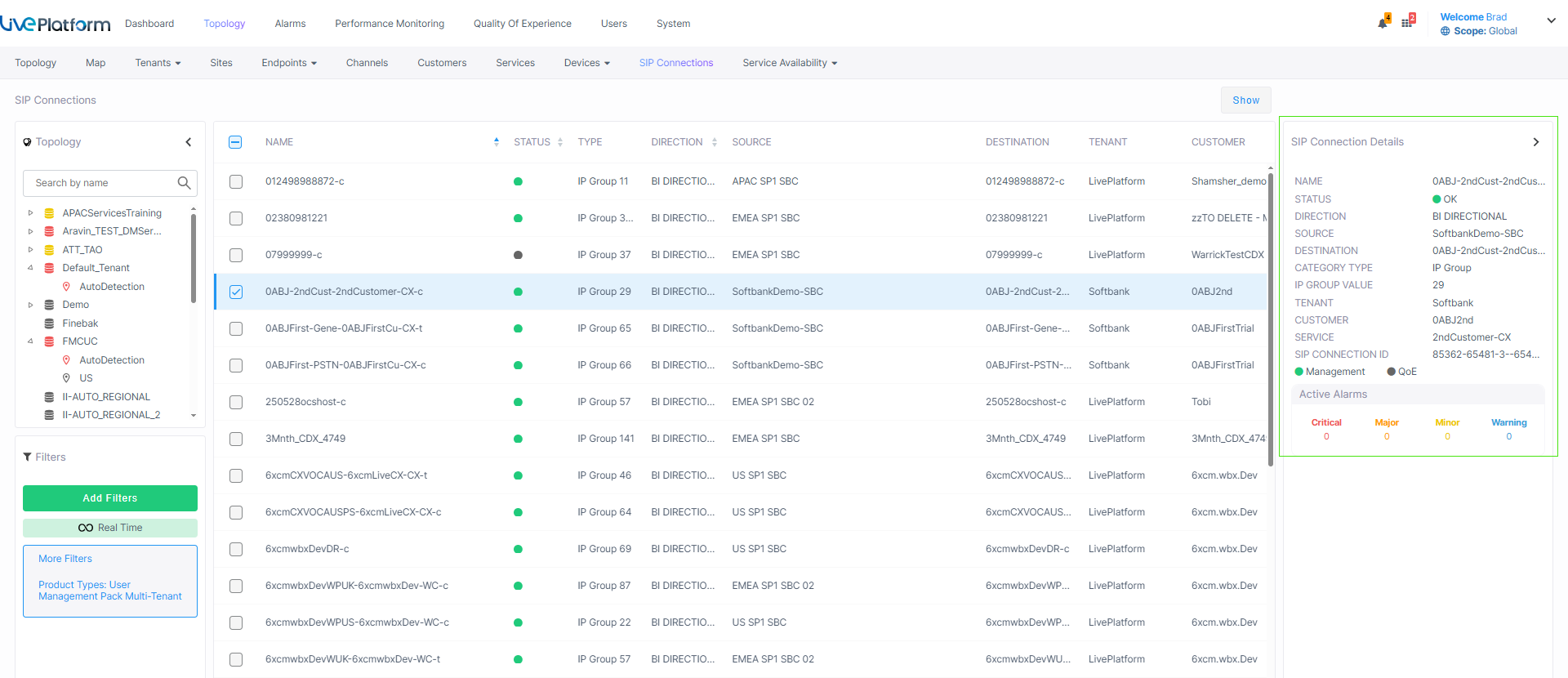
| 2. | Use the table below as a reference. |
|
Parameter |
Description |
||||||||||||||||||||||||
|---|---|---|---|---|---|---|---|---|---|---|---|---|---|---|---|---|---|---|---|---|---|---|---|---|---|
|
Name |
Name of the SIP Connection of the customer service. |
||||||||||||||||||||||||
|
Extension |
The SIP Connection name includes the following extensions:
|
||||||||||||||||||||||||
|
Status |
Connection status (see Management Statuses) |
||||||||||||||||||||||||
|
Type |
SIP Connection type:
|
||||||||||||||||||||||||
|
Direction |
Direction of the connection: Bidirectional or One-directional. |
||||||||||||||||||||||||
|
Source |
The SBC device where the SIP Connection is configured. |
||||||||||||||||||||||||
|
Destination |
The SIP Connection for which the outgoing call leg traverses. |
||||||||||||||||||||||||
|
IP Group Value |
Unique IP Group ID for the SIP connection of the service created in the Live Platform database. |
||||||||||||||||||||||||
|
Tenant |
Name of the Service Provider tenant. |
||||||||||||||||||||||||
|
Customer |
Name of the customer attached to the service. |
||||||||||||||||||||||||
|
Service |
Name of the service for which the SIP Connection is attached. |
||||||||||||||||||||||||
|
Users Count (Direct Routing and Operator Connect services only) |
The number of users with license factors (see Services Details Quick Glance). |
||||||||||||||||||||||||
|
SIP Connection ID |
Unique ID of the SIP connection that is generated by the specific service platform. For example, when creating a Direct Routing service , a unique SIP connection ID is created for the PSTN or SIP Trunk connection leg and another for the Microsoft Teams leg (if a Microsoft Teams device is added to the service). The unique ID facilitates identification, for example, when the same name is used to label both the SIP/PSTN and Microsoft Teams connections. |
||||||||||||||||||||||||
|
CAC Profile |
Configured number of Call Admission Control Sessions. |
||||||||||||||||||||||||
|
Carrier Name |
The name of the SIP Trunk or BYOC if you are connecting your Carrier to a SIP Trunk. The selected carrier binds to the configured SIP Interface, Proxy Set and IP Profile on the SBC (where the same name is configured for all three entities on the SBC). |
||||||||||||||||||||||||
|
Management Status |
See Management Statuses. |
||||||||||||||||||||||||
|
QoE Status |
See Management Statuses. |
||||||||||||||||||||||||
|
Active Alarms |
Shows the Active alarms for all categories including Critical, Major, Minor and Warning alarms. Click each category to drill down to the Active Alarms page. |
||||||||||||||||||||||||
|
Service Calls |
Shows the details of calls made by users accounts for the service. For more information, see Monitoring Calls from Customer Sites. |